

Having spent years in cybersecurity and healthcare, I’ve realized how vital it is to keep our information safe. It’s about following basic security measures a daily routine to safeguard your personal information. It’s not just about protecting data; it’s about creating a safer space for everyone. Just one breach can jeopardize everything. Take action now to protect yourself and your organization from cyber-attacks. Stay informed, be proactive, and secure your systems! Let’s work together to create a safer digital world.
By Juliana Savage
Key Points
- Essential Practices: Implement strong passwords, keep software updated, and use multi-factor authentication to enhance security. Stay informed about cybersecurity threats and manage privacy settings carefully.
- Collective Responsibility: Cybersecurity is crucial for protecting personal and organizational data. It’s not just about data protection; it’s vital for privacy, finances, and peace of mind in the digital world.
- Growing Threats: With rising global cybercrime costs, adopting robust security measures is critical. Small businesses are particularly vulnerable, making vigilance and knowledge critical defenses against evolving cyber threats.
Throughout my career, I have seen firsthand how crucial cybersecurity is in our technology-driven world. It’s not just about protecting data; it’s about allowing individuals and businesses to prosper safely in the digital realm. As cyber threats grow, cybersecurity is no longer a luxury—it’s a need. For all of us, understanding and applying basic cybersecurity measures is vital.
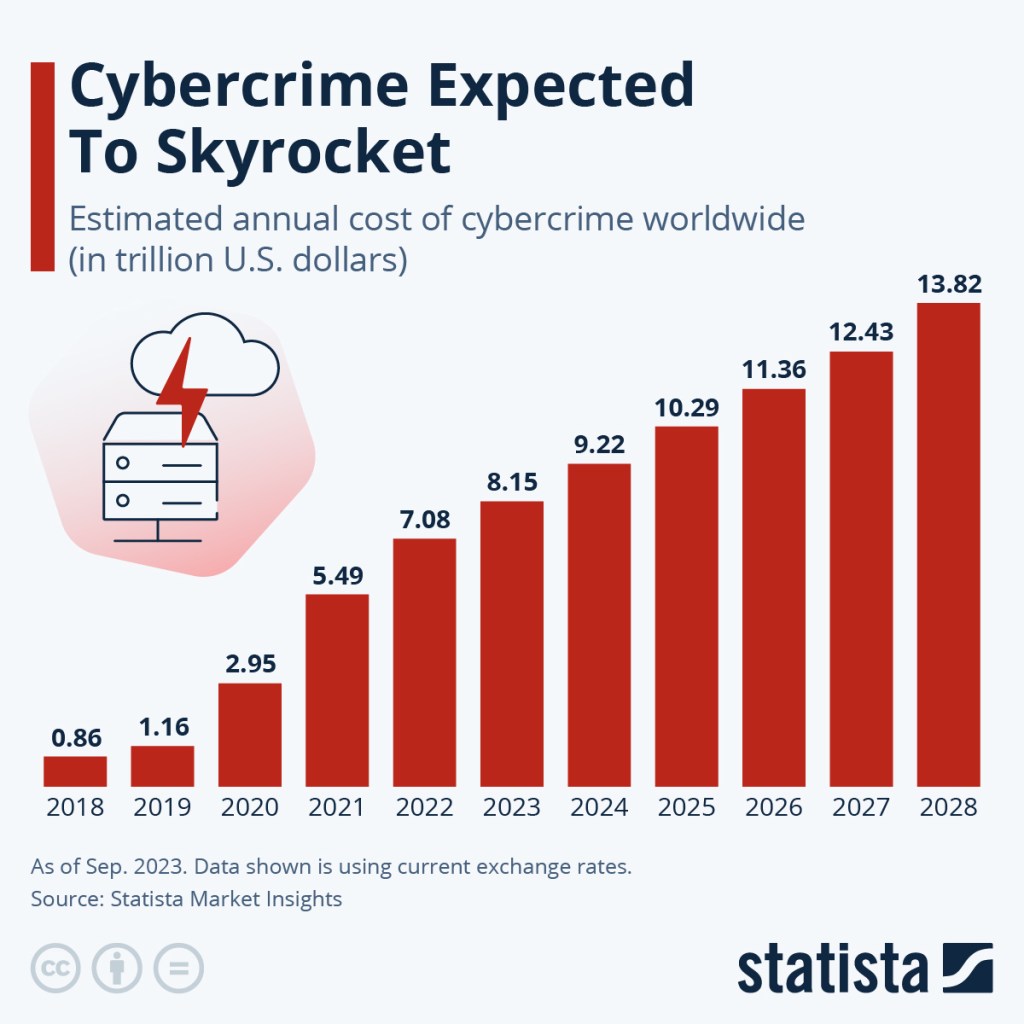
The projected rise in the global cost of cybercrime is alarming, increasing from $9.22 trillion in 2024 to $13.82 trillion by 2028. This figure serves as a reminder of the increasing threat landscape. Small businesses, often lacking strong defenses, are especially vulnerable, a fact highlighted during the COVID-19 pandemic when remote work became prevalent. Cybercriminals are honing their skills, ready to seize any chance. Yet, knowledge empowers us, and vigilance serves as our shield. With the right proactive measures, we can prepare ourselves to protect our digital assets.
Get ready to learn how to keep your and your organization’s information safe. Use strong passwords, update your software regularly, and add multi-factor authentication to your computer as an extra layer of protection. But remember, staying informed about protecting your information, keeping track of your privacy settings, and avoiding clicking on suspicious links are equally important. It’s your responsibility to protect your information and your organization’s data, and staying informed is a key part of that responsibility.
Why Cybersecurity Matters
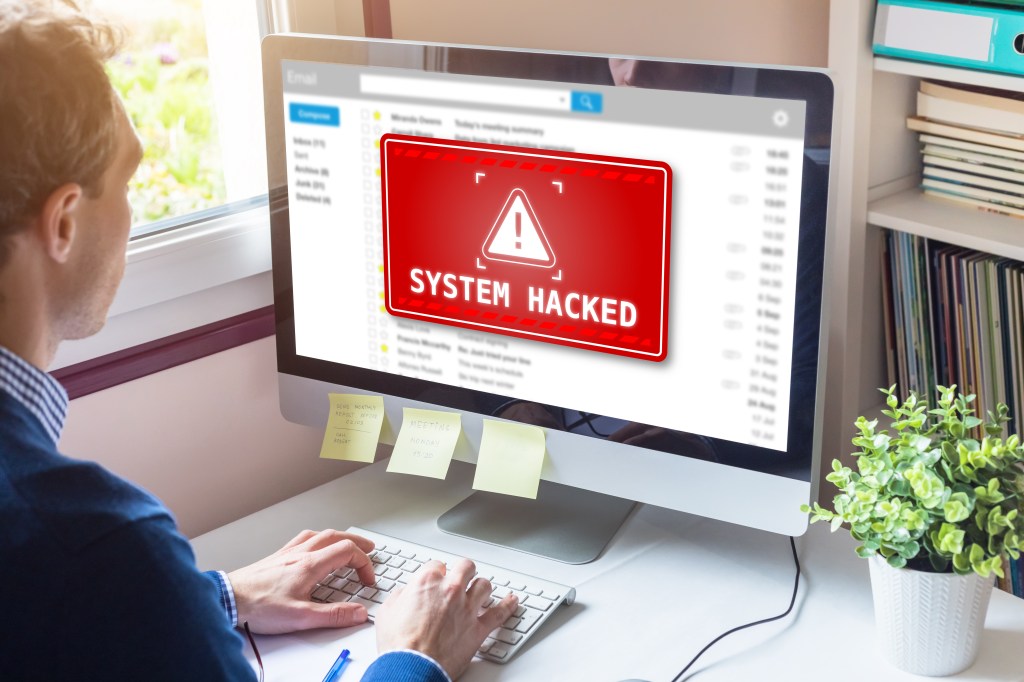
Cybersecurity is crucial for everyone because it protects the integrity, confidentiality, and availability of sensitive information. In today’s interconnected world, where digital transactions and communications are the norm, safeguarding personal and organizational data is vital. Imagine a cyber attack disrupting life, damaging reputation, and causing financial losses—not just for big companies but also for individuals. Adopting strong cybersecurity measures is essential as you navigate this complex digital landscape. They prevent unauthorized access, keeping information private and secure. Are you doing enough to protect yourself?
Examples of high-profile breaches have shown us the devastating impact of cyber attacks. For instance:
- AT&T suffered a breach affecting millions, with personal data appearing on the dark web.
- MOVEit experienced a massive breach impacting millions worldwide, including major U.S. organizations.
- Ticketmaster had a breach that exposed millions of customer records.
These incidents are just a few that highlight the importance of taking proactive steps to secure your personal data and protect your organization.
Essential Cybersecurity Steps You Might Be Missing
Strong Passwords
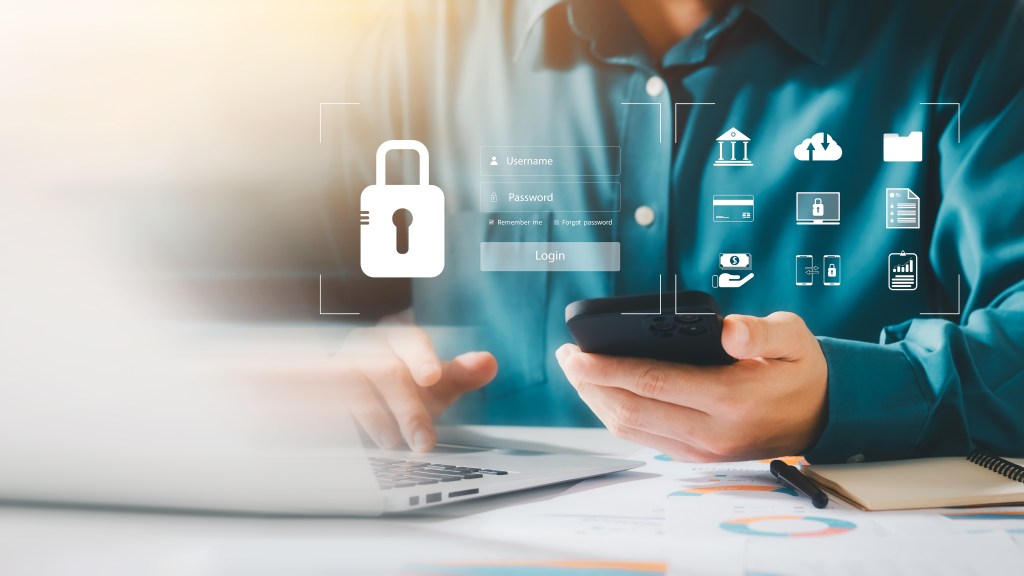
Creating strong, unique passwords for each account is necessary for maintaining online security. From personal experience, dedicating time to creating more complex passwords has protected me from potential breaches.
Avoid passwords like “Password123”. When I was younger and just beginning my career, I have changed my password to include 123 for convenience. But, convenience isn’t always the wisest choice. Be wiser and choose a more intricate option like “L0v3MyC@t12!$%#^” which is both memorable and secure.
According to the International Information System Security Certification Consortium (ISC2), an ideal strong password should be at least 16 characters long, including one uppercase letter, one lowercase letter, and one special character. Such a password can take up to 152,000 years to crack. Avoid simple numeric passwords, as they can be cracked in seconds—a password with just 10 digits can be cracked in 5 seconds. Instead, use passphrases made of randomly connected words. Top password manager apps offer customizable password generators that create random passwords and passphrases based on your chosen criteria. Remember, the longer and more complex your password, the better.
I used to struggled to remember different passwords, but using a password manager app changed everything. It securely tracks all my passwords and allows me to generate strong ones effortlessly. Trust me, taking a proactive approach to password management is worth the peace of mind.
For those seeking free app options, legitimate password manager apps are available. Bitwarden is CNET’s top choice for a free password manager. NordPass is another choice, and for the technically inclined, KeePass offers a free and unlimited solution, though it may not be as user-friendly as others. Be cautious and choose your password manager app carefully. You don’t need to download every app to your phone, as it can add extra security risks—my advice: only download apps that you truly need.
Regular Software Updates
Keeping my software and devices up-to-date has become a routine for me. I’ve learned that regular updates are crucial for fixing security vulnerabilities. Developers work hard to patch these security holes, so staying current is key, as recommended by the Cybersecurity and Infrastructure Security Agency (CISA).
When updates are available, vendors usually post them on their websites. I make it a habit to install these updates promptly to protect my devices from potential threats. Some software checks for updates automatically, and many vendors offer this convenient option. I recommend enabling it whenever possible. If not, I periodically check vendor websites for updates. I always make sure that updates are downloaded from trusted websites.
Whenever possible, I apply updates from trusted networks like home or work. For such tasks, I avoid untrusted networks (like airports or coffee shops). If I must update on an untrusted network, I use a Virtual Private Network to connect to a trusted one first. If you don’t know what a Virtual Private Network (VPN) is, it creates a secure, encrypted connection over the internet, protecting users from threats like hackers by masking their IP addresses. It enhances privacy and allows access to region-restricted content, making it valuable for personal and professional use. If you have access to a VPN, make sure to use it.
Finally, enabling automatic software updates has been a lifesaver, ensuring everything stays up-to-date. I also avoid using unsupported, end-of-life software and prefer visiting vendor sites directly instead of clicking on ads or email links. This routine has helped me keep my devices secure, and I hope it helps you, too!
Multi-Factor Authentication (MFA)
Turn on multi-factor authentication (MFA) wherever possible to add an extra layer of security. Multi-factor authentication (MFA) enhances security by requiring multiple verification forms before accessing an account. It combines something you know (password), something you have (phone or token), and something you are (biometrics). This layered approach makes it harder for unauthorized users to access accounts, even with a password, helping to protect sensitive information and reduce data breaches. In my experience, many organizations today use mobile apps that generate codes necessary for computer access, this is one form of multi-factor authentication (MFA). Additionally, other MFA options may also be available. Employing any form of multi-factor authentication is a smart decision to keep data secure.
Cybersecurity Awareness
Enhance your knowledge and that of your team about common cybersecurity threats and best practices, as knowledge is power. Regular training sessions make sure vigilance against phishing attacks, social engineering, and other threats. If your company requests participation in such training, do not dismiss it. While it seems mundane, it is crucial for both your safety and your organization’s security.
Privacy Settings
Adjust privacy settings on social media and online platforms to limit public information. Sharing less minimizes the risk of personal data misuse. I keep two versions of my social media accounts: one private for family and friends and one public. The private account restricts content visibility, but I only post things I’d be okay with my boss seeing since anything online can last forever. My public account allows wider visibility but excludes personal details like my email or home address, making it harder to be tracked.
I regularly Google my name to make sure nothing undesirable appears in search results. It’s important to stay updated with privacy settings changes and often review them to make sure you aren’t sharing information you want to keep private. Remember, your online information is your responsibility, so take good care of it.
Suspicious Links
Be careful with emails and messages that have suspicious links or attachments. If you’re unsure, check the source before clicking. Cybercriminals often use phishing to trick you into giving away sensitive information. I avoid trusting email links because they can lead to fake sites that look real. I’m cautious about emails with attached update files—they could have malware. We’ve all received texts from unknown numbers asking us to click a link—don’t click, no matter how tempting. In healthcare, I’ve learned the importance of only accessing necessary information while keeping everything else safe, commonly referred to as the principle of “minimum necessary information,” as patient confidentiality is crucial. In cybersecurity, this concept is known as “least privilege”. It ensures that users are granted access only to the required resources and nothing more. Let’s take similar steps to protect our information.
Cybersecurity Quick Reference Guide
- Strong Passwords: Use complex and unique passwords for each account.
- Regular Software Updates: Keep your software and devices updated to patch vulnerabilities.
- Multi-Factor Authentication (MFA): Turn on MFA for an added security layer.
- Suspicious Links: Avoid clicking on links or attachments from unknown sources.
- Cybersecurity Awareness: Educate yourself and your team on cyber threats.
- Privacy Settings: Limit the personal information you share online.
- Reputable Antivirus Software: Use and regularly update reputable antivirus software to protect against malware.
Here’s a story many might find relatable. Sarah was scrolling through her emails when she spotted one from her bank about an account update. Worried, she opened the email, which looked official with the bank’s logo and formatting. But, something didn’t feel right as it asked for her login details through a link. Remembering her Cybersecurity Awareness training, Sarah decided to call her bank directly to verify. The bank confirmed they hadn’t sent any emails and praised her for not clicking on the link. This small act of caution helped Sarah avoid a potential phishing scam. It’s important to stay vigilant and double-check unexpected emails! How often do we let curiosity lead us into risky actions? Stay informed and protect what’s yours!
Conclusion
Cybersecurity is a collective responsibility. By adhering to key principles and staying informed, you can greatly reduce your risk of cyber threats. It’s not just about safeguarding your data; it’s about protecting your privacy, finances, and peace of mind.
In today’s digital age, the importance of cybersecurity can’t be overstated. With the increasing frequency and sophistication of cyber threats, both individuals and organizations must adopt robust security measures. The projected rise in global cybercrime costs highlights the urgent need for preparedness. By staying informed, applying strong security protocols, and fostering a vigilant culture, we can protect our digital assets and make sure the integrity and safety of both personal and organizational data. Addressing these challenges head-on is our collective duty to secure our digital future.
For straightforward cybersecurity tips, consult resources like the National Institute of Standards and Technology (NIST) and the Cybersecurity & Infrastructure Security Agency (CISA). Let’s join forces to protect our digital lives and create a safer online environment for everyone.
Head to the comments and share your cybersecurity experiences. Have you ever been a victim of a cyber attack? How did you address it? Share your tips and insights with us. Together, let’s keep learning and strengthening our defenses against cybercrime.
References
- Bluefin News. (2024). The most significant data breaches in 2024. Retrieved from https://www.bluefin.com/bluefin-news/biggest-data-breaches-year-2024/
- National Institute of Standards and Technology. (n.d.). Glossary. Retrieved from https://csrc.nist.gov/glossary
- U.S. Small Business Administration. (n.d.). Strengthen your cybersecurity. Retrieved from https://www.sba.gov/business-guide/manage-your-business/strengthen-your-cybersecurity
- Cybersecurity and Infrastructure Security Agency. (2024). Risk management. Retrieved from https://www.cisa.gov/topics/risk-management
- Statista. (n.d.). Expected cost of cybercrime until 2027. Retrieved from https://www.statista.com/chart/28878/expected-cost-of-cybercrime-until-2027/


 PM and Biz Insights with Juliana
Leave a comment